Legion Health onboarding states — Mobile onboarding states concept for Legion Health
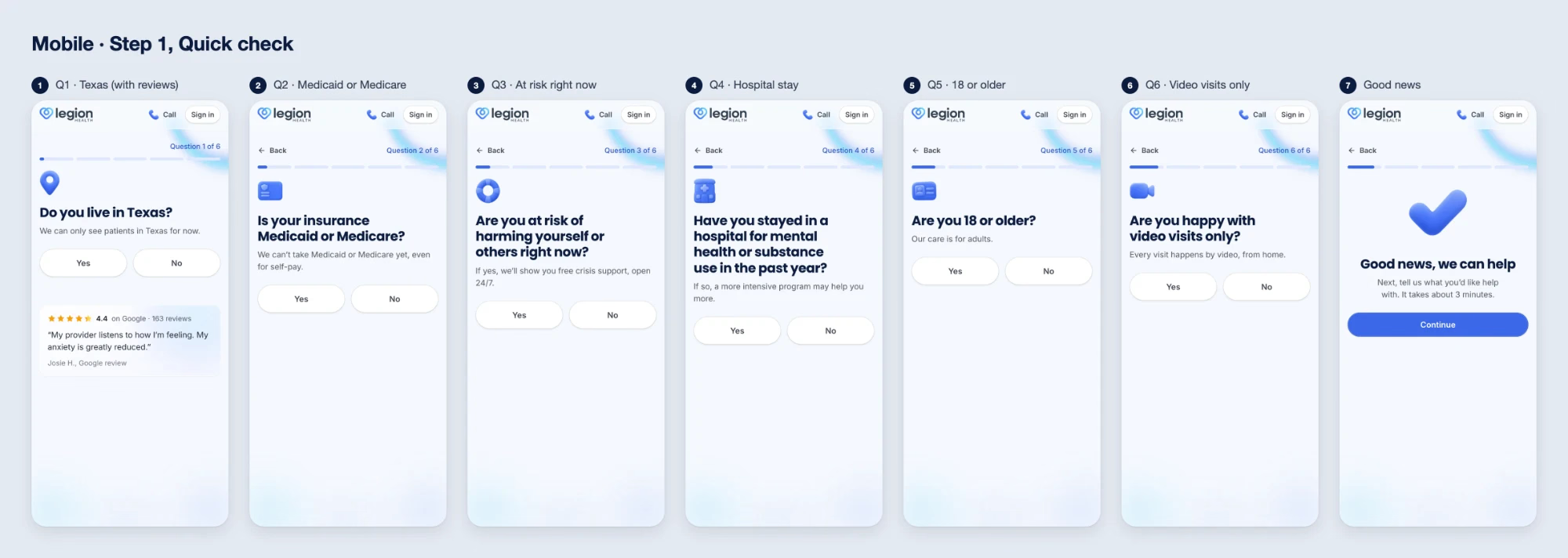
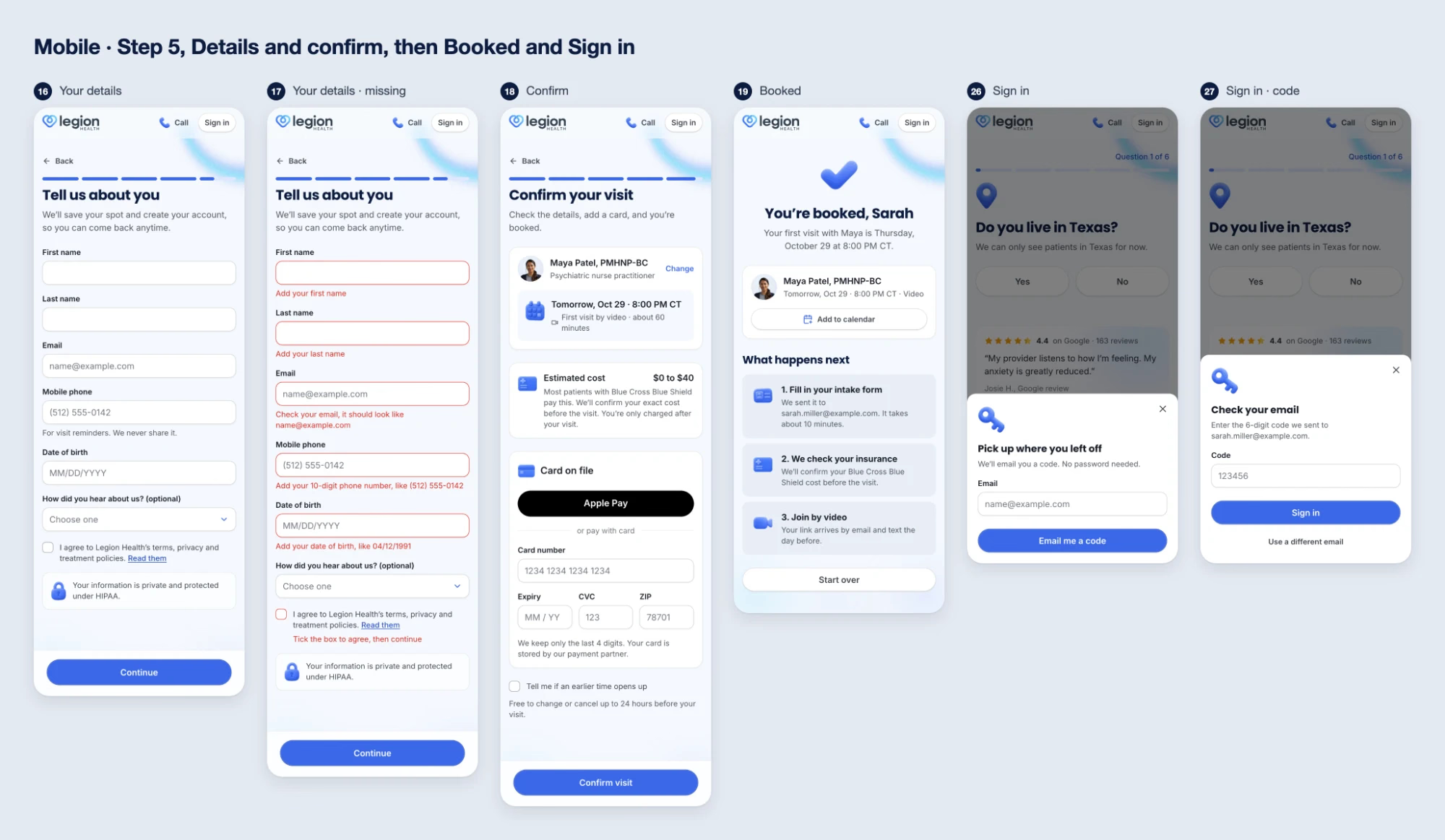
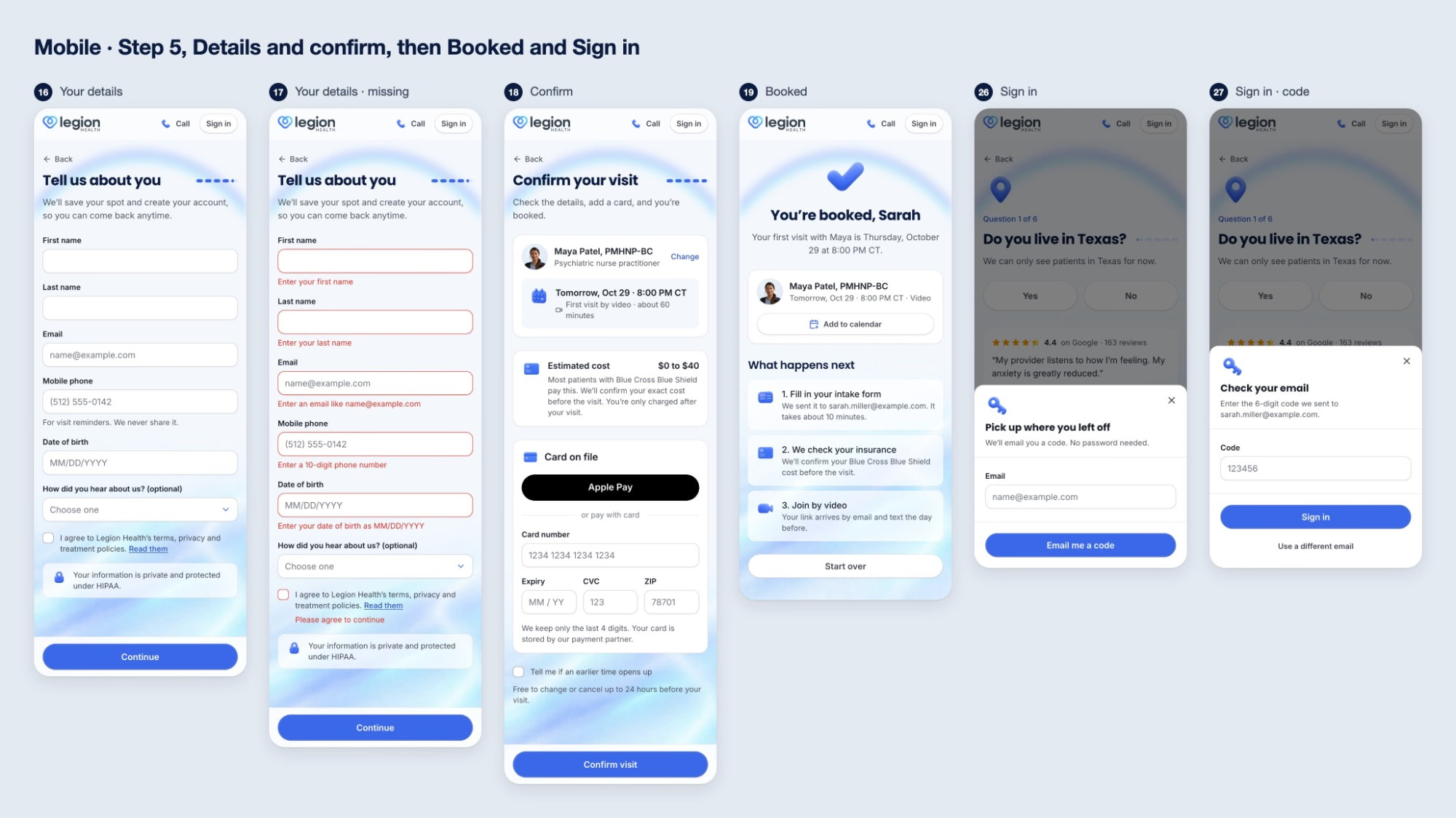
The Legion Health sign-up concept on a phone: every screen of the flow at once, then the one in the middle runs. Texas is answered No first, to show what happens when an answer rules you out, then the booking goes through from Good news to You’re booked. In the images below, the live flow is on top and the concept underneath.
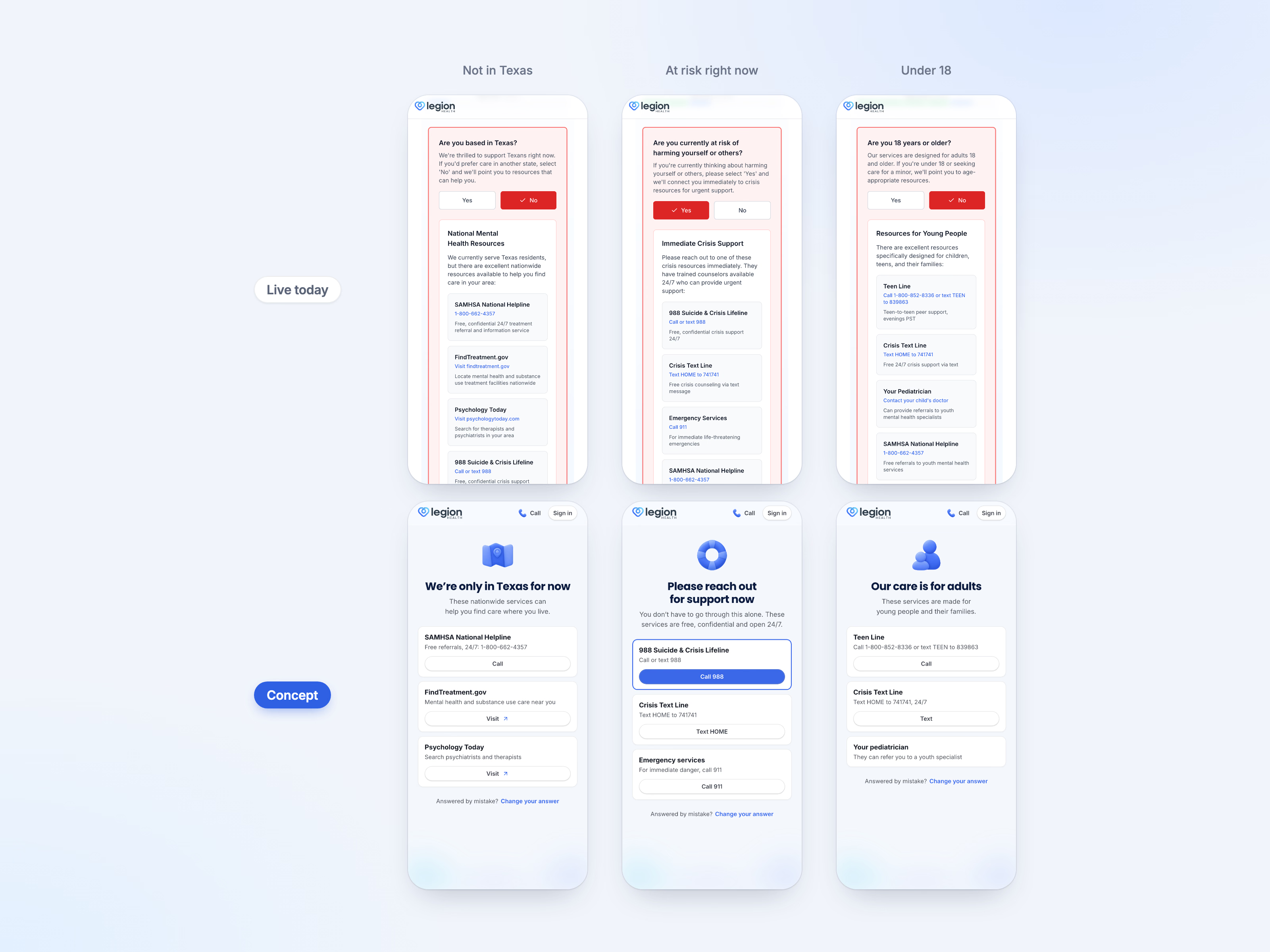
When an answer rules you out today, it turns red and a box of resources opens inside the question card, under a patient quote and a paragraph about being the right fit. In the concept it gets a page of its own: what the answer means in one line, the services that can help, each with its own button, and Change your answer for a tap made by mistake.
A risk of harm is the one that can’t wait, so the concept leads with 988 as the only filled button on the page, ahead of the Crisis Text Line and 911.
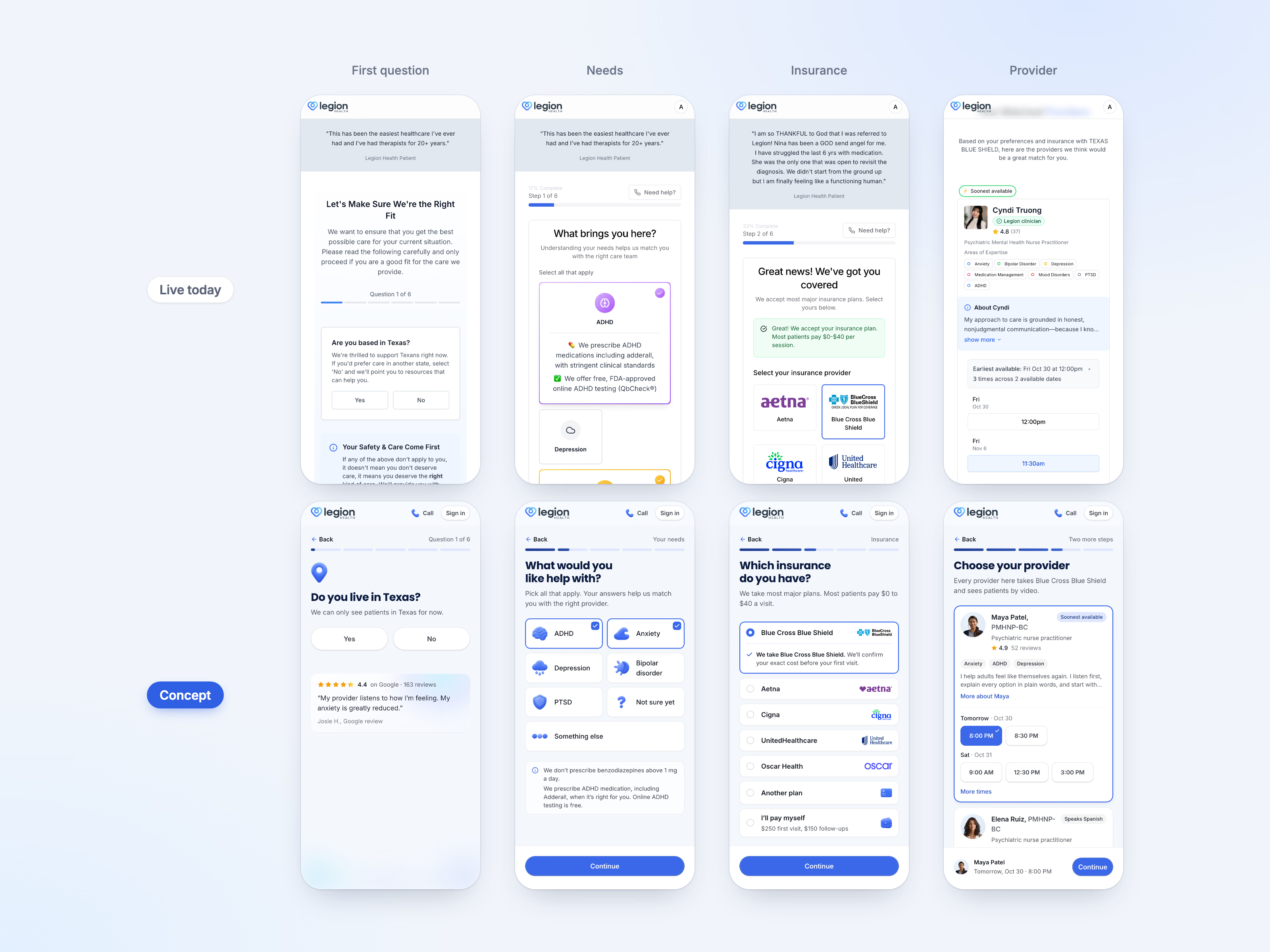
The rest of the flow follows the desktop concept: one question to a screen, a Google review instead of an anonymous quote, cards short enough to compare on a small screen, and the chosen provider and time held in a bar at the bottom, within thumb reach.
Got something real to build?
Tell me what you’re building and let’s see if we’re a good fit.