Referee Portal | Weekly Schedule & Availability — Referee weekly schedule and availability in EDGE
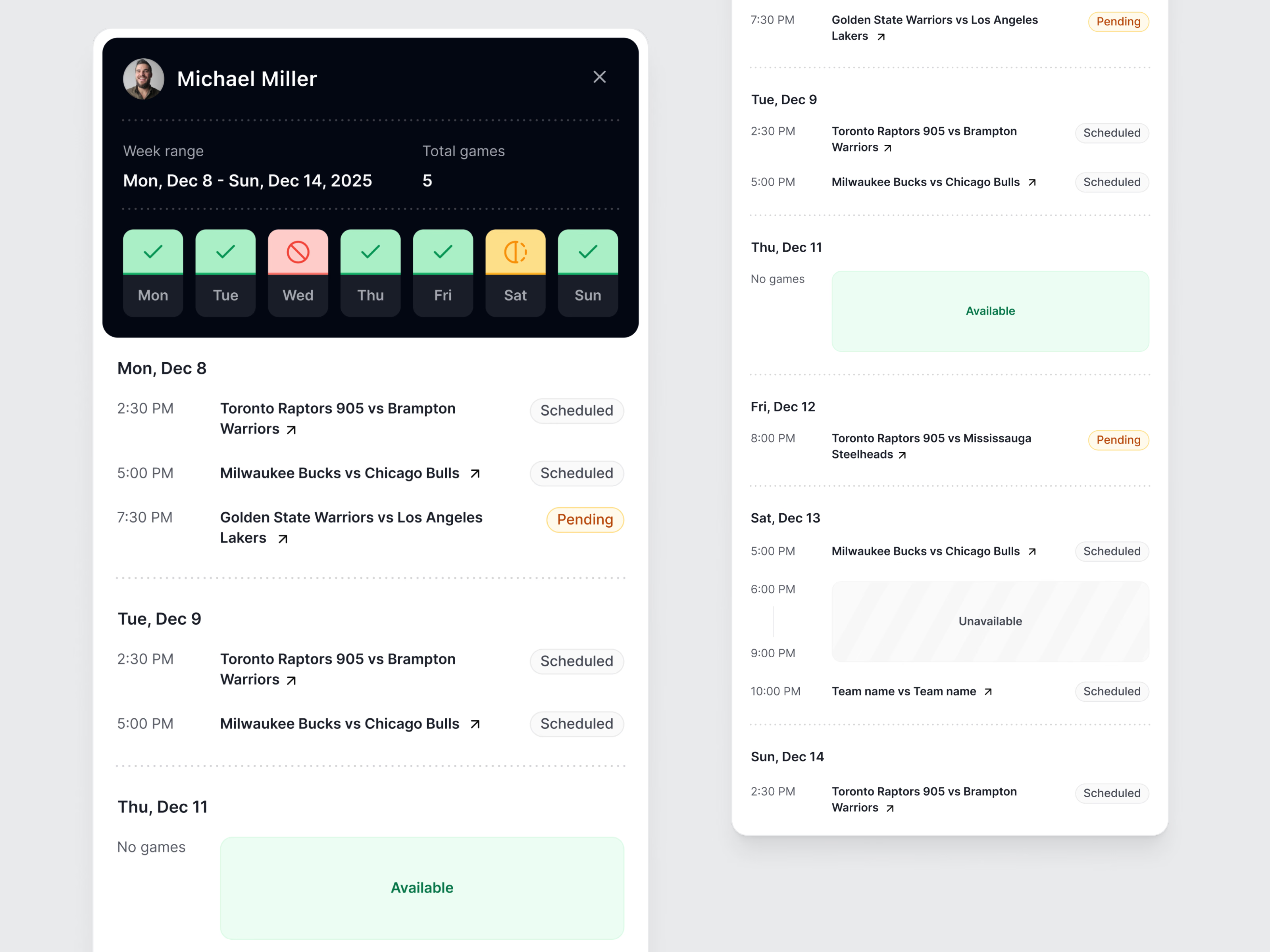
The referee side of EDGE, the officiating platform for basketball referees and their federations: what an official sees after logging in. In the weekly planner, a dark header sums up the week with the date range, the number of games and seven day tiles colored by availability, green when free, red when unavailable and amber for part of the day. Each day lists its games with a Scheduled or Pending tag, free days show a green Available block, and blocked hours appear as a striped Unavailable slot.
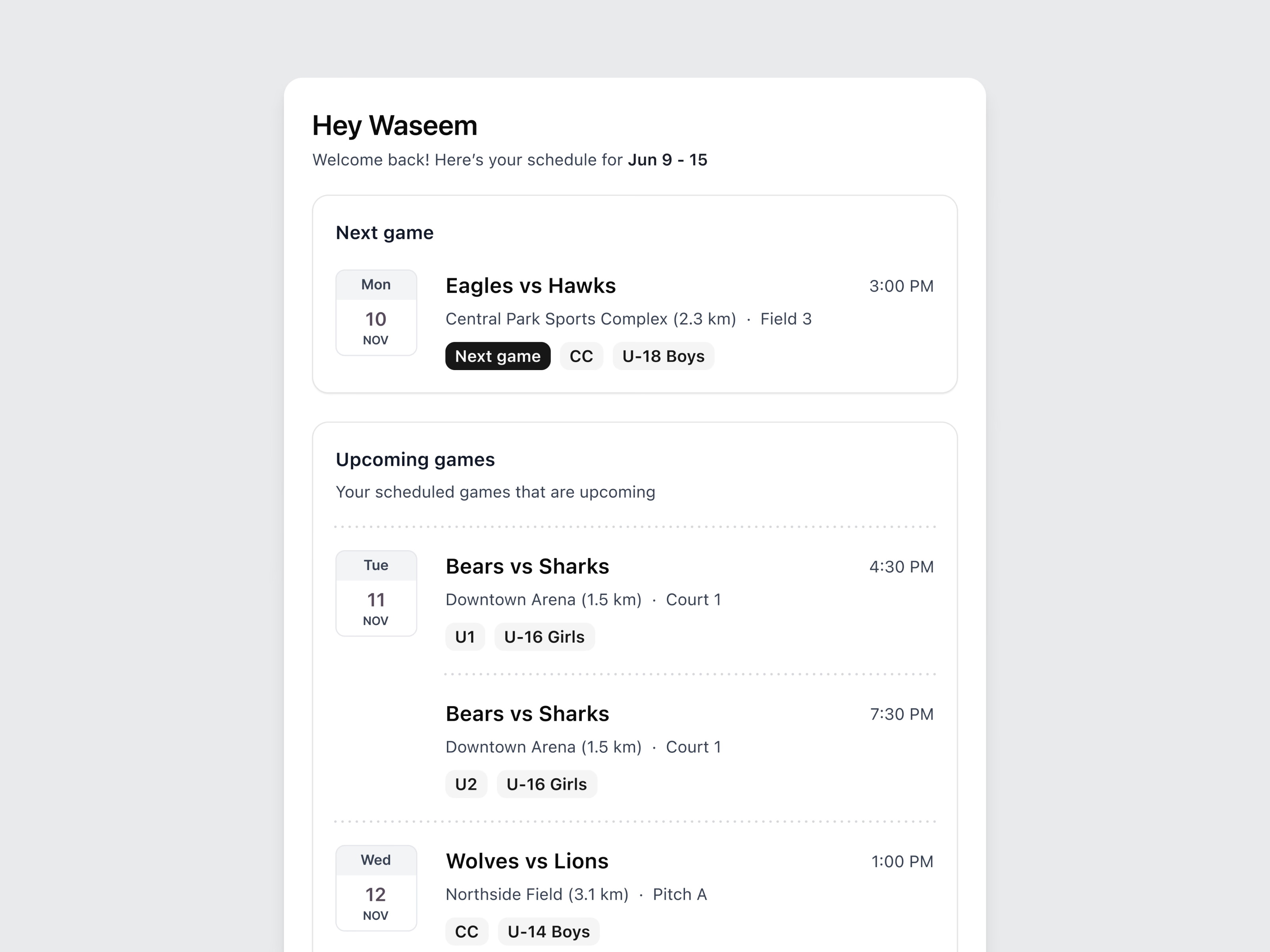
The second view is a quick feed of what’s next: the next game highlighted at the top, then upcoming games with the venue and its distance, the court or field, the official’s assigned role (CC, U1, U2) and the age group.

Two views of the same data for different moments: the planner for managing the week, the feed for a glance before heading out. The brand image under them shows an official mid-signal beside the line Building Technology for Referee Development.
Got something real to build?
Tell me what you’re building and let’s see if we’re a good fit.