Text editor - Add Button — Add block menu in the ShoSho writing editor
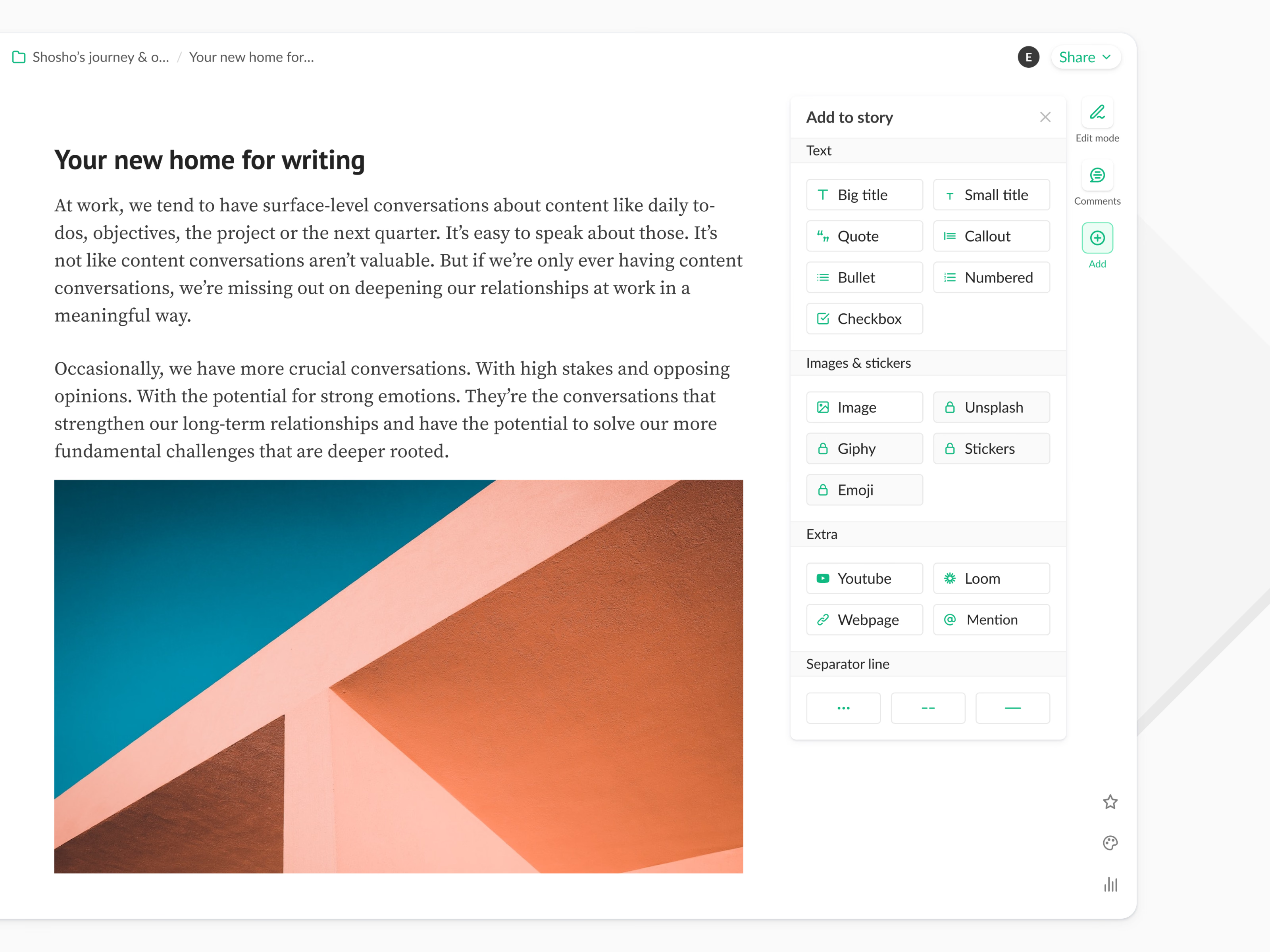
The Add menu in ShoSho’s editor, a writing product. Opening Add from the rail on the right shows everything that can go into a story, grouped as text (titles, quote, callout, lists, checkbox), images and stickers, extras like YouTube, Loom, webpages and mentions, and separator lines.
Some options, such as Unsplash, Giphy, stickers and emoji, carry a lock. The panel opens beside the text instead of over it, so the story stays readable while you choose what to add.
Got something real to build?
Tell me what you’re building and let’s see if we’re a good fit.