Adding a person to a task flow — Add stakeholder to task flow in Lantern's AI CRM
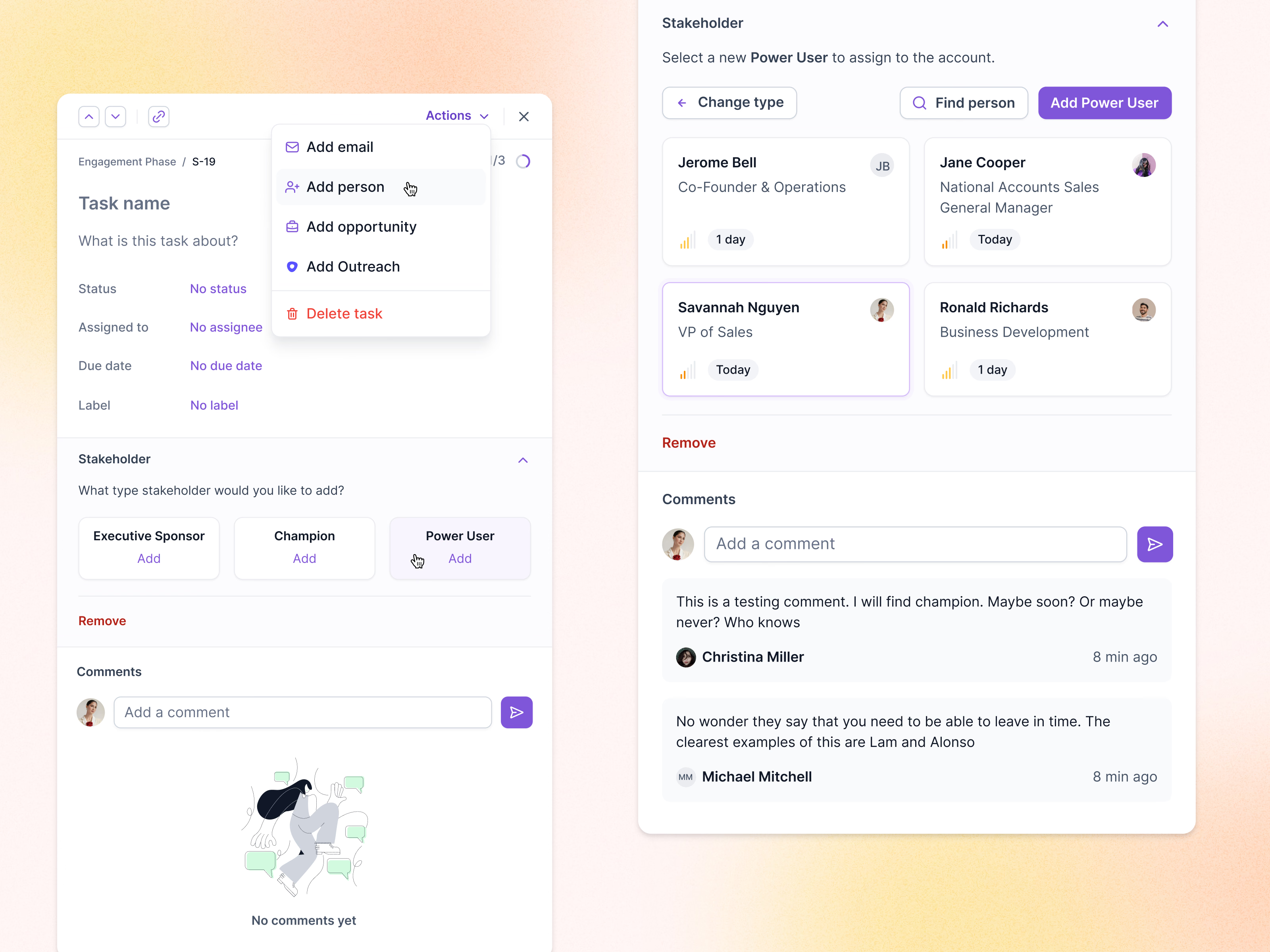
Adding a stakeholder to a task in Lantern. The Actions menu on a new task offers add email, add person, add opportunity, add Outreach and delete task. Add person opens a Stakeholder section that first asks which type: executive sponsor, champion or power user.
Once a type is picked, the panel shows the account’s people as cards with their title, a relationship signal and when they were last contacted, with Find person and Add Power User at the top. Empty fields read No status or No assignee, and an illustration holds the comments until someone writes the first one.
Got something real to build?
Tell me what you’re building and let’s see if we’re a good fit.