Instaon Campaign Edit & Preview — Ad campaign edit mode and report for Instaon
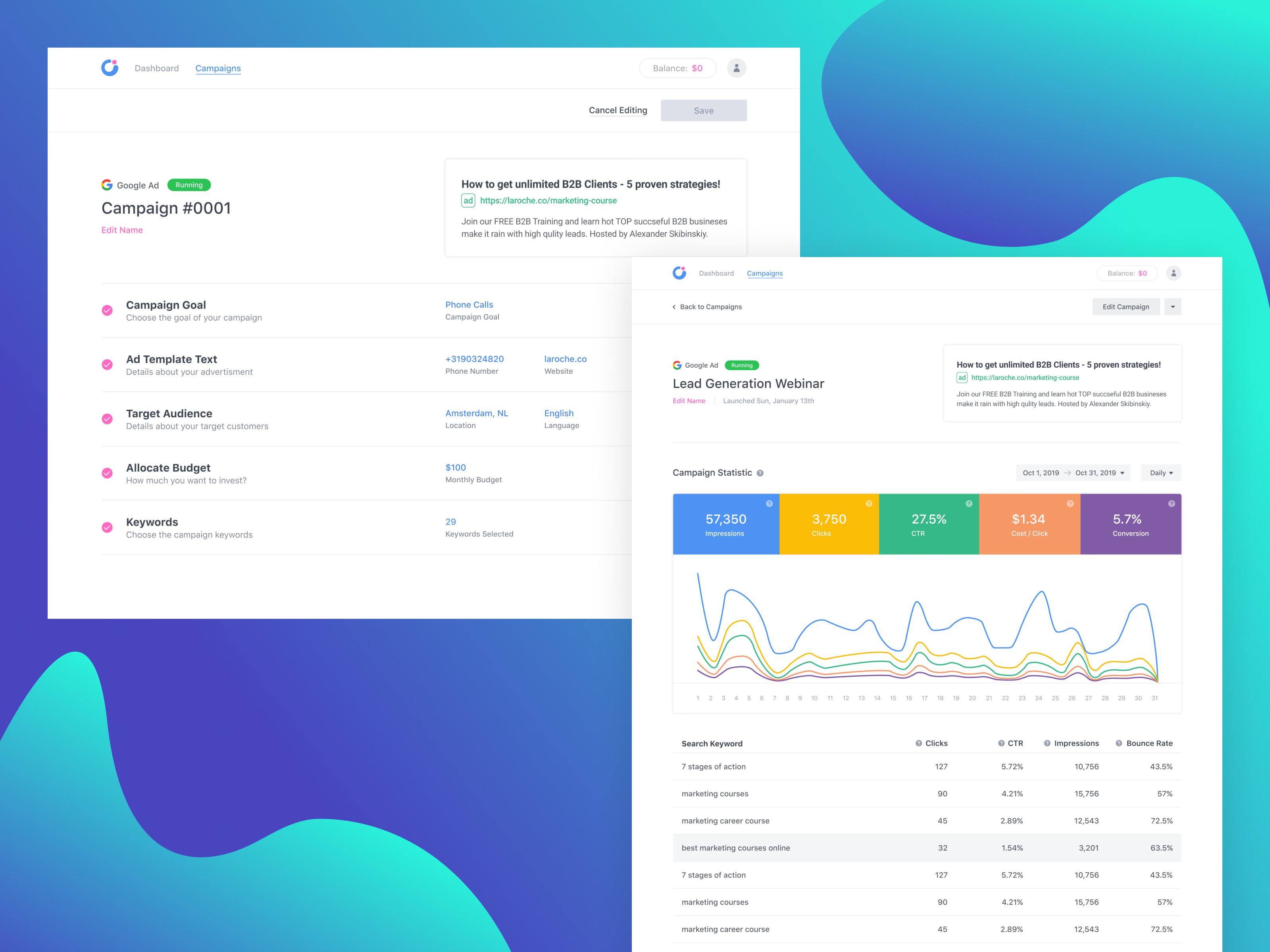
Editing a live campaign in Instaon, next to the report it belongs to.
In edit mode, the running campaign keeps the same step list used to create it (goal, ad text, audience, budget and keywords) with each step’s current values in view, and Cancel Editing and Save at the top.
The report opens with the ad preview and launch date, then the campaign statistics: five colored tiles for impressions, clicks, CTR, cost per click and conversion, each matching a line on the daily chart. The keyword table below lists clicks, CTR, impressions and bounce rate per search term.
Got something real to build?
Tell me what you’re building and let’s see if we’re a good fit.