Reschedule meeting (mobile flow) — Meeting reschedule confirmation steps on mobile in Teero
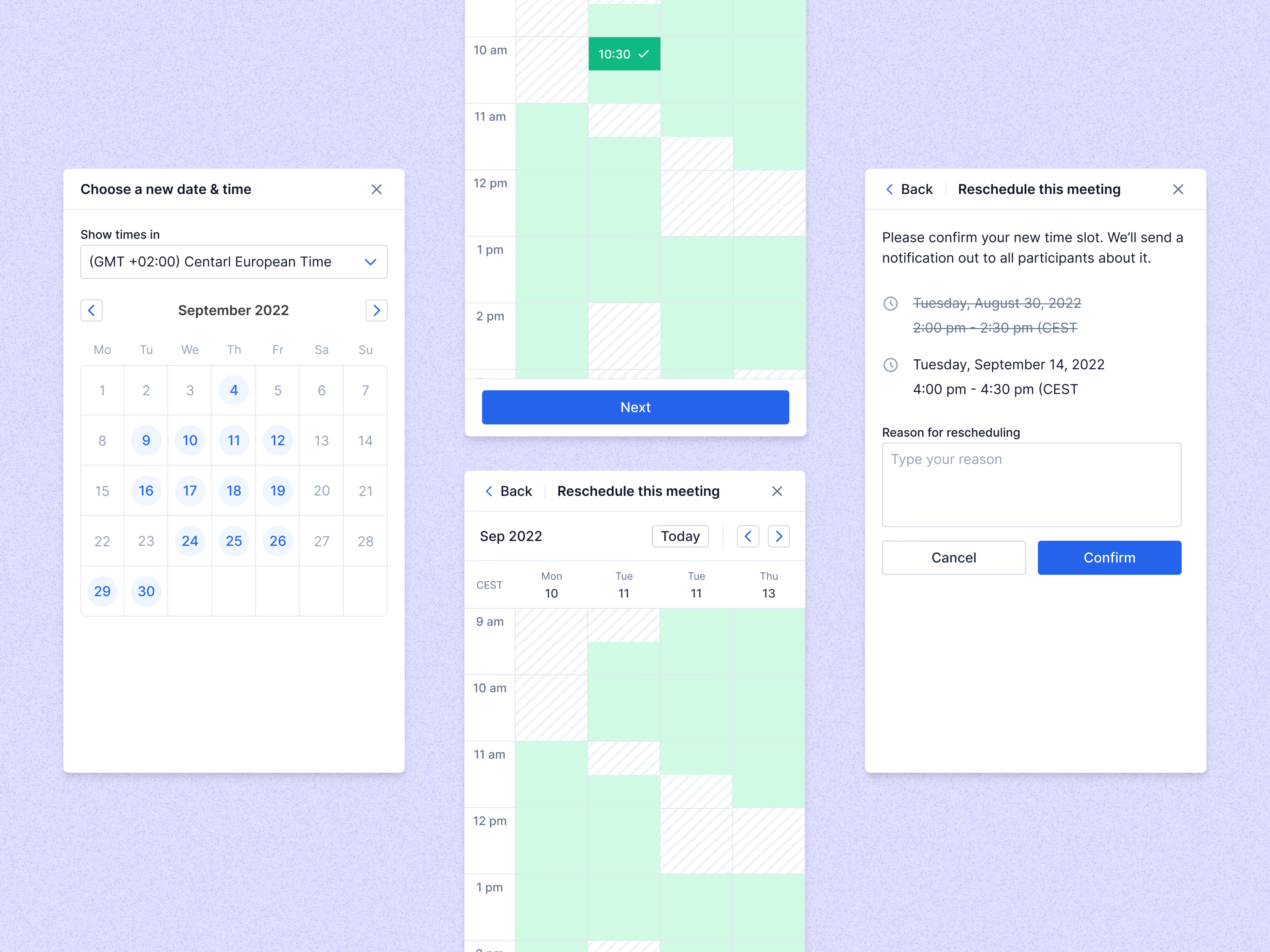
The steps for rescheduling a meeting in Teero on a phone.
It starts with a time zone and a month calendar, then a day grid where green cells are open and the chosen slot (10:30 here) gets a check mark before Next. The last screen asks for confirmation: the old time is struck through above the new one, a line explains that every participant will be notified, and a field asks for the reason. Cancel and Confirm sit side by side at the bottom.
Got something real to build?
Tell me what you’re building and let’s see if we’re a good fit.