Table cell interaction — Accounts table cell hover, edit and error states
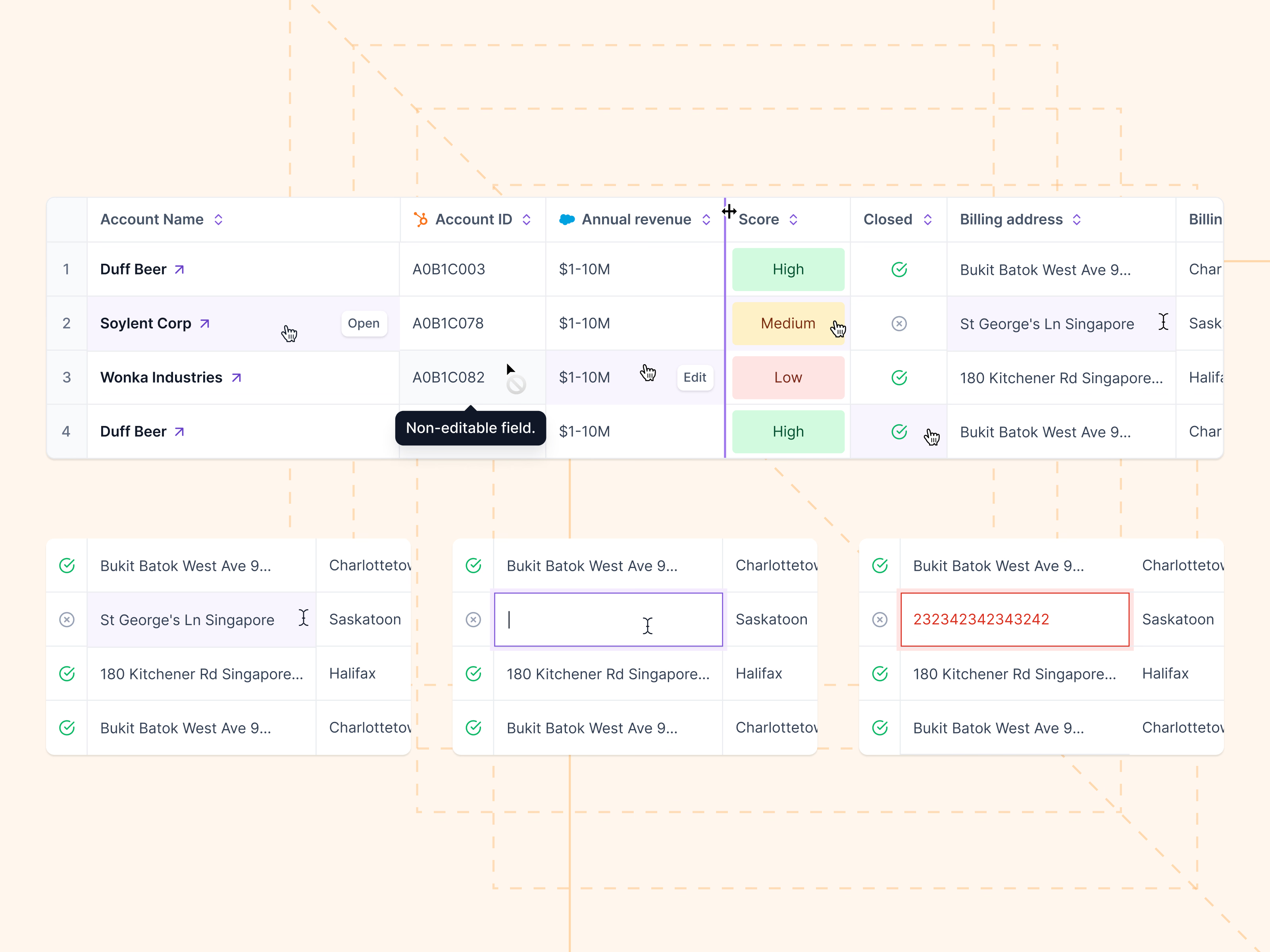
Cell states for an accounts table: what each cell does when you hover it, click it or try to change it.
Hovering a company name shows an Open button, and hovering an editable value shows Edit. A locked field swaps the cursor for a not-allowed sign and explains itself in a tooltip: Non-editable field. Column headers carry the HubSpot or Salesforce icon, so it’s clear where each value comes from, and a handle between headers resizes columns.
The bottom row follows one billing address cell through hover, an empty focused input and a red error state for an invalid value.
Got something real to build?
Tell me what you’re building and let’s see if we’re a good fit.