5 Ways to Design Trust With AI Answers
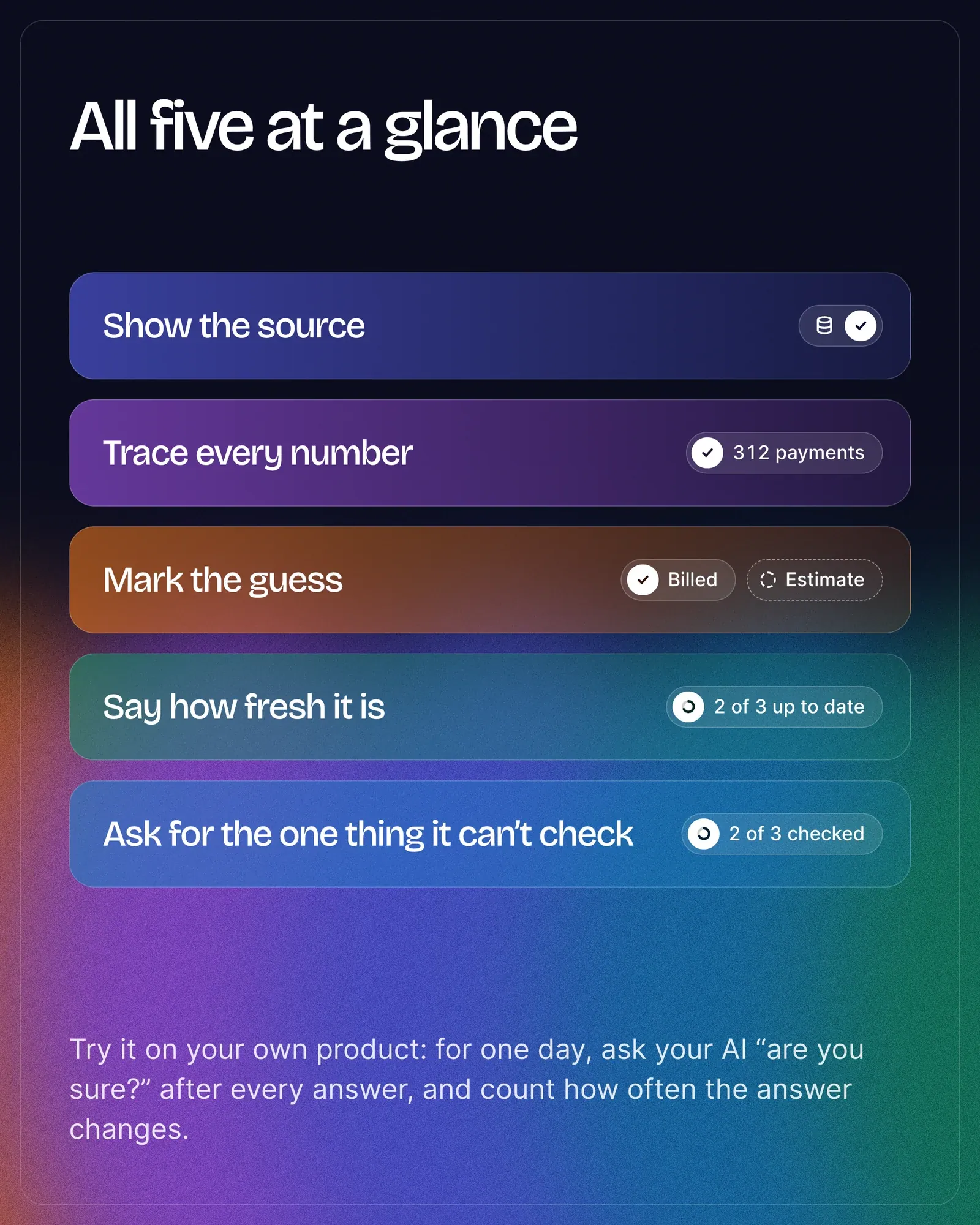
Five human-in-the-loop UX patterns that show on the answer what the AI checked: the source, the count, the guess, the freshness, and what it could not check.
I build with AI every day. Sometimes I need proof that the code is real and the data in the backend is real, and I have a feeling it is not. So I ask. The AI says, “Oh yes, you’re right, let me actually check that right now.” And then it turns out the first answer was not true. Every time that happens I trust the next answer a bit less.
A citation does not solve this. In a 2023 audit of four AI search engines, only 51.5% of sentences were fully backed by their citations. In 2025 the Tow Center ran 200 news excerpts through eight AI search tools, and more than 60% of the 1,600 answers were wrong. People do not click either: Pew tracked 900 adults and they clicked a link inside a Google AI summary on 1% of visits.
I should not have to ask. The proof has to sit on the answer. This is what human-in-the-loop UX is for: the places in an AI product where a person checks or corrects what the AI did. Here are five ways I would design it. Each one is a chart an AI made in a chat, with a small mark on it. Hover the mark and it shows what was checked.
1. Show the source
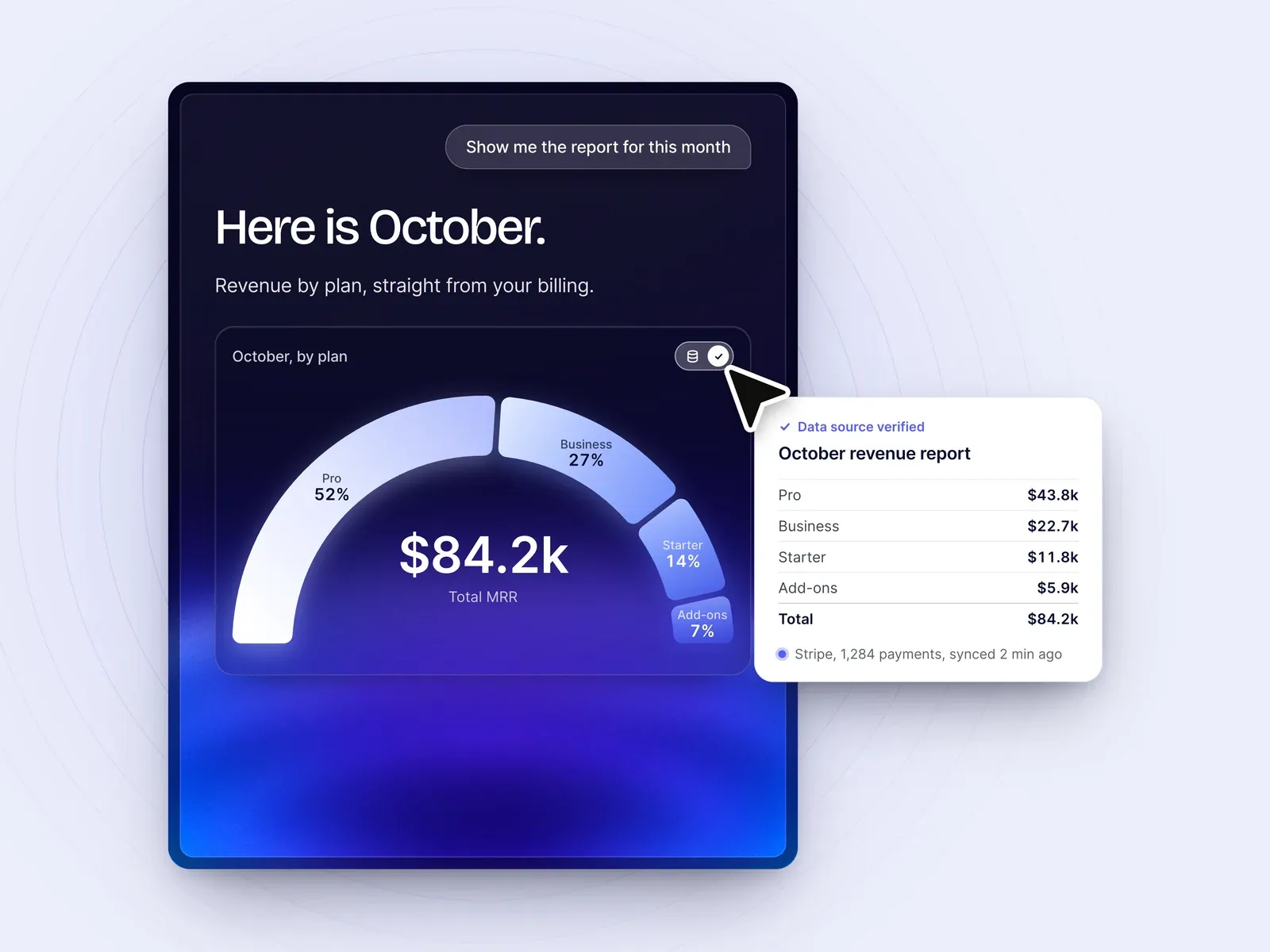
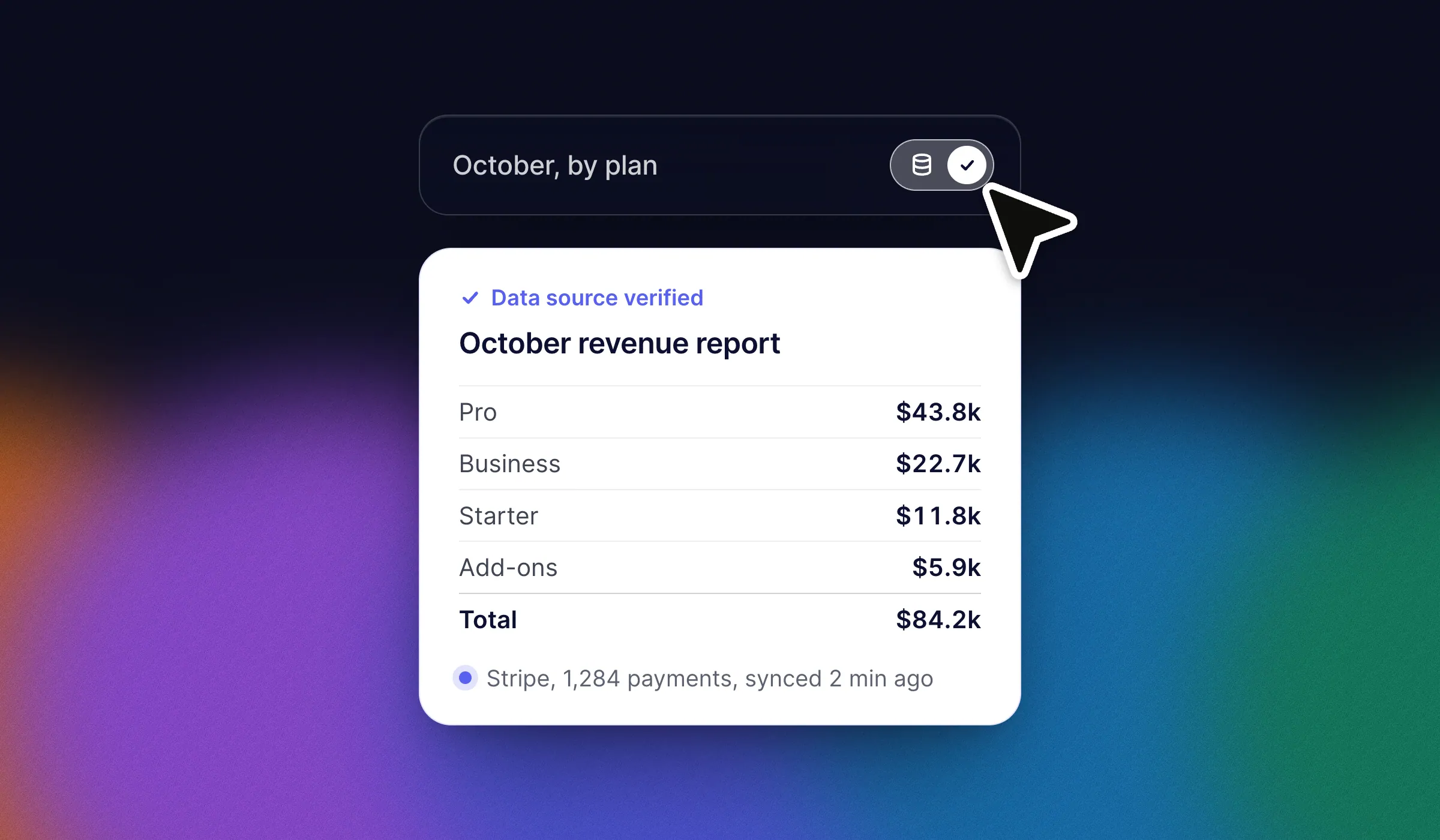
I ask for this month’s report and get a chart of revenue by plan. In the corner of the chart sits a small mark: a source icon with a check. When I hover it, a card opens with the October report row by row, where it came from (Stripe, 1,284 payments) and when it was last synced.
The card shows the data itself, and that is what helps. In a study where the AI’s explanation was wrong, people who read that explanation judged claims with 35% accuracy. People who read the source passages got 54%.
This is the one I would build first: a small badge you can hover on to see if the data can be trusted. I keep it small because the proof is in the hover.
2. Trace every number
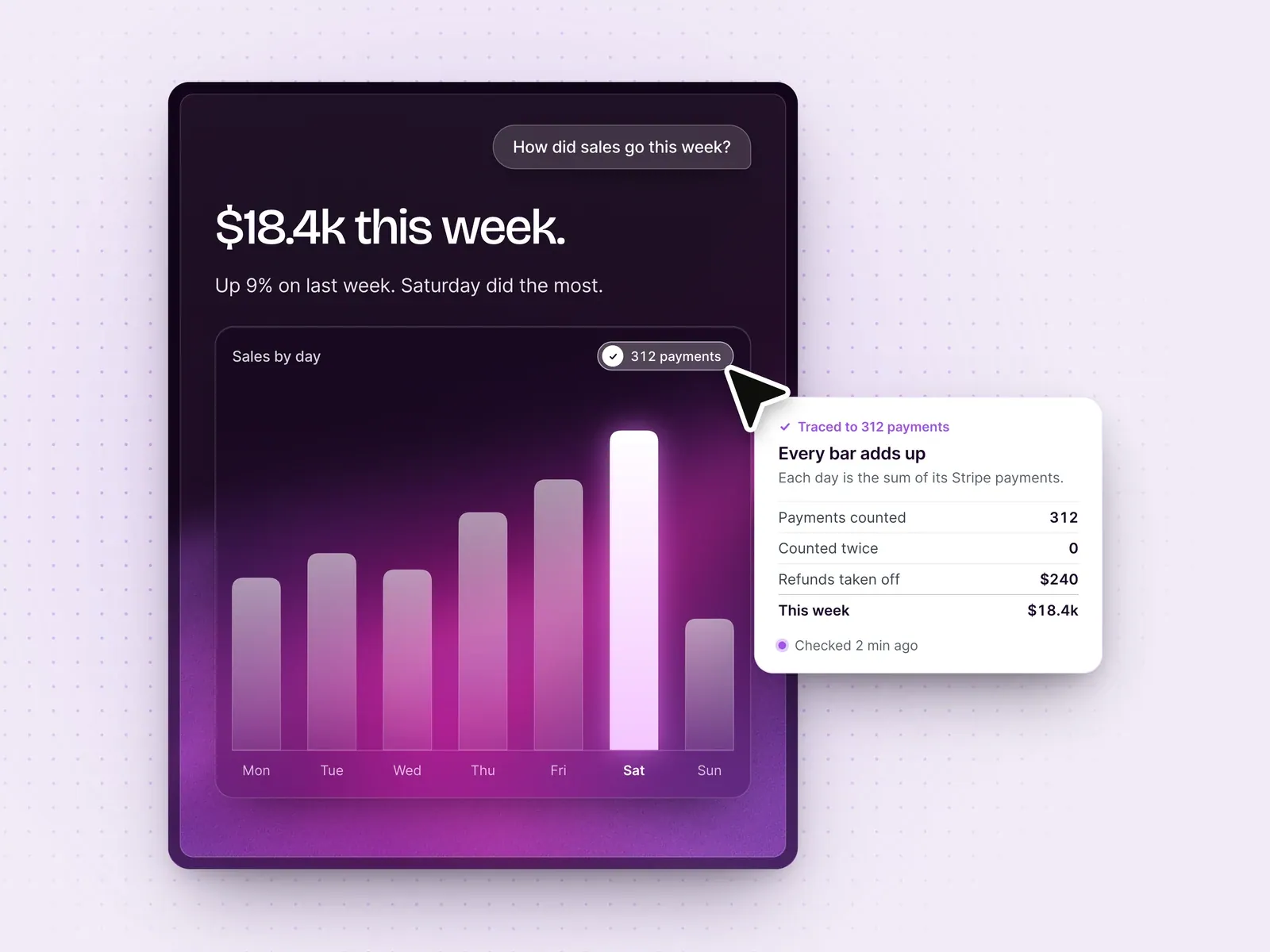
I ask how sales went this week and get seven bars. The mark says 312 payments. The hover shows the count behind the bars: 312 payments counted, none counted twice, $240 in refunds taken off, $18.4k for the week.
A failure the audits keep finding: the source is real, and it does not say what the answer says. Stanford’s test of legal AI tools calls it “misgrounded”. Overall, it found wrong answers more than 17% of the time in two tools and more than 34% in a third. In a test with 800 medical questions, 50 to 90% of answers were not fully backed by the sources they cited.
A count is something I can check against my own Stripe in ten seconds.
3. Mark the guess
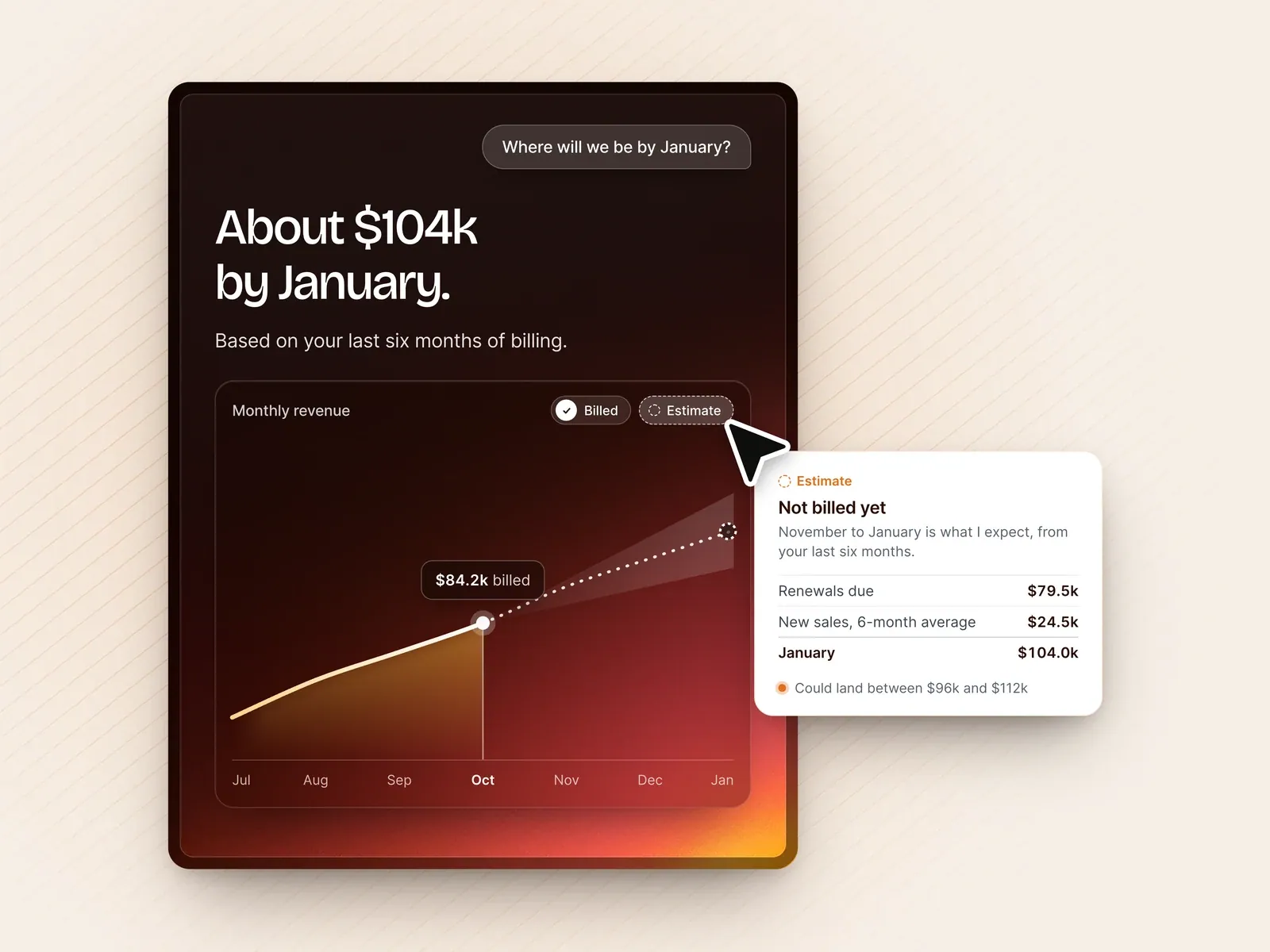
I ask where we will be by January. The months already billed are a solid line that ends in a solid dot. The months ahead are a dotted line with a soft range around it and a hollow dot at the end. Two marks sit on the chart: Billed and Estimate. The hover on Estimate says it is not billed yet and shows what it is made of: $79.5k in renewals due and $24.5k in new sales at the six-month average, somewhere between $96k and $112k.
AI tools rarely say when they are unsure. In the Tow Center test ChatGPT got 134 of 200 answers wrong and signalled low confidence 15 times.
Showing the unsure part works. In one study, colouring the low-confidence numbers in an AI answer took accuracy on a question the AI got wrong from 26% to between 53% and 58%. In another with 404 people, an AI that said “I’m not sure, but” got less blind agreement, and people’s own answers were more accurate.
4. Say how fresh it is
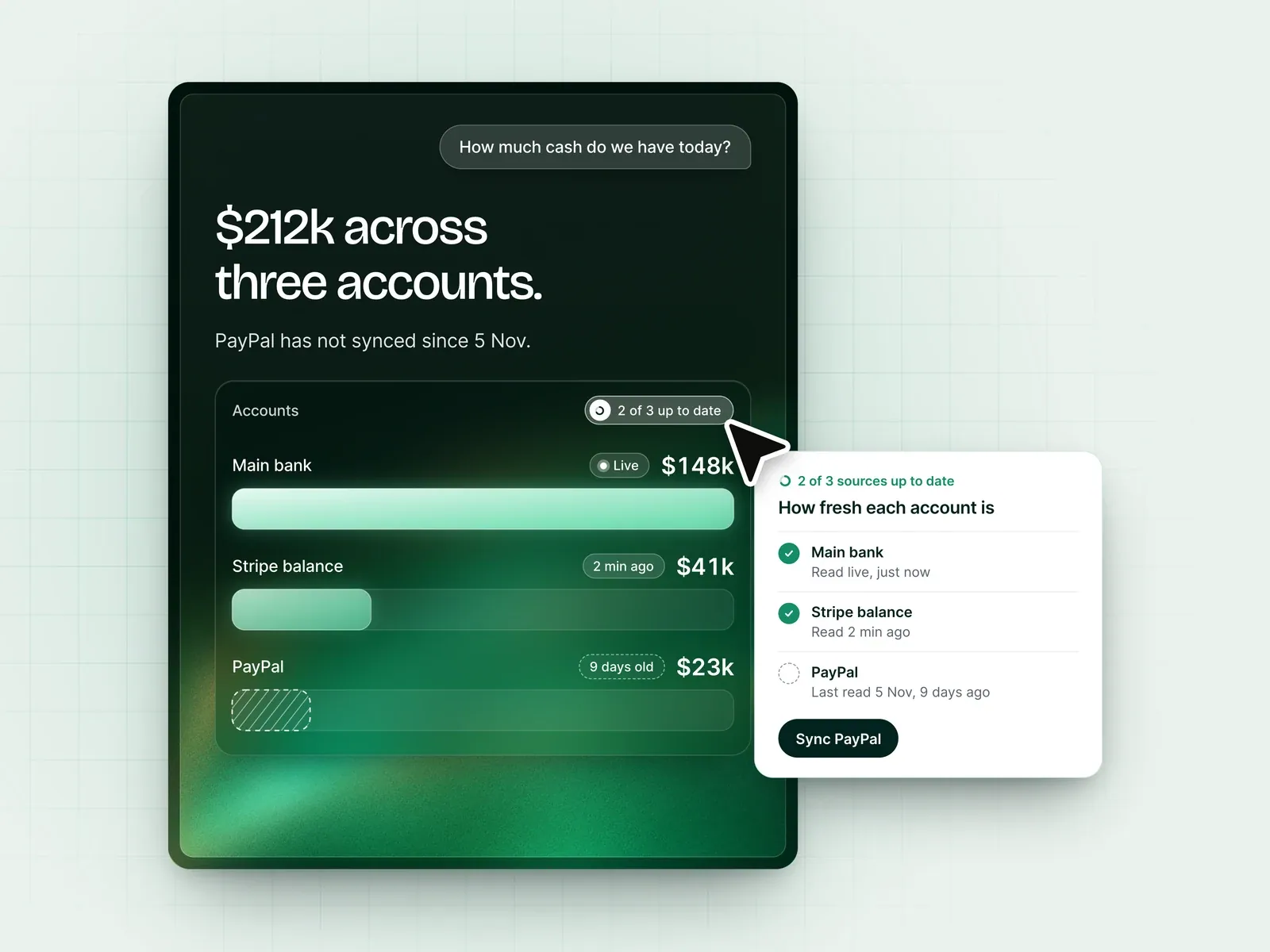
I ask how much cash we have today. The answer is three accounts, and each one says when it was last read: Live, 2 min ago, 9 days old. The old one is drawn hatched and its amount is dimmed. The mark says 2 of 3 up to date, and the hover lists each account with a Sync button for the stale one.
Every account gets a state, the fresh ones too. A 2020 study with more than 5,000 people put warning tags on some false headlines, and the false headlines without a tag were then believed more. If only the stale account had a label, the other two would look checked whether they were or not.
5. Ask for the one thing it can’t check
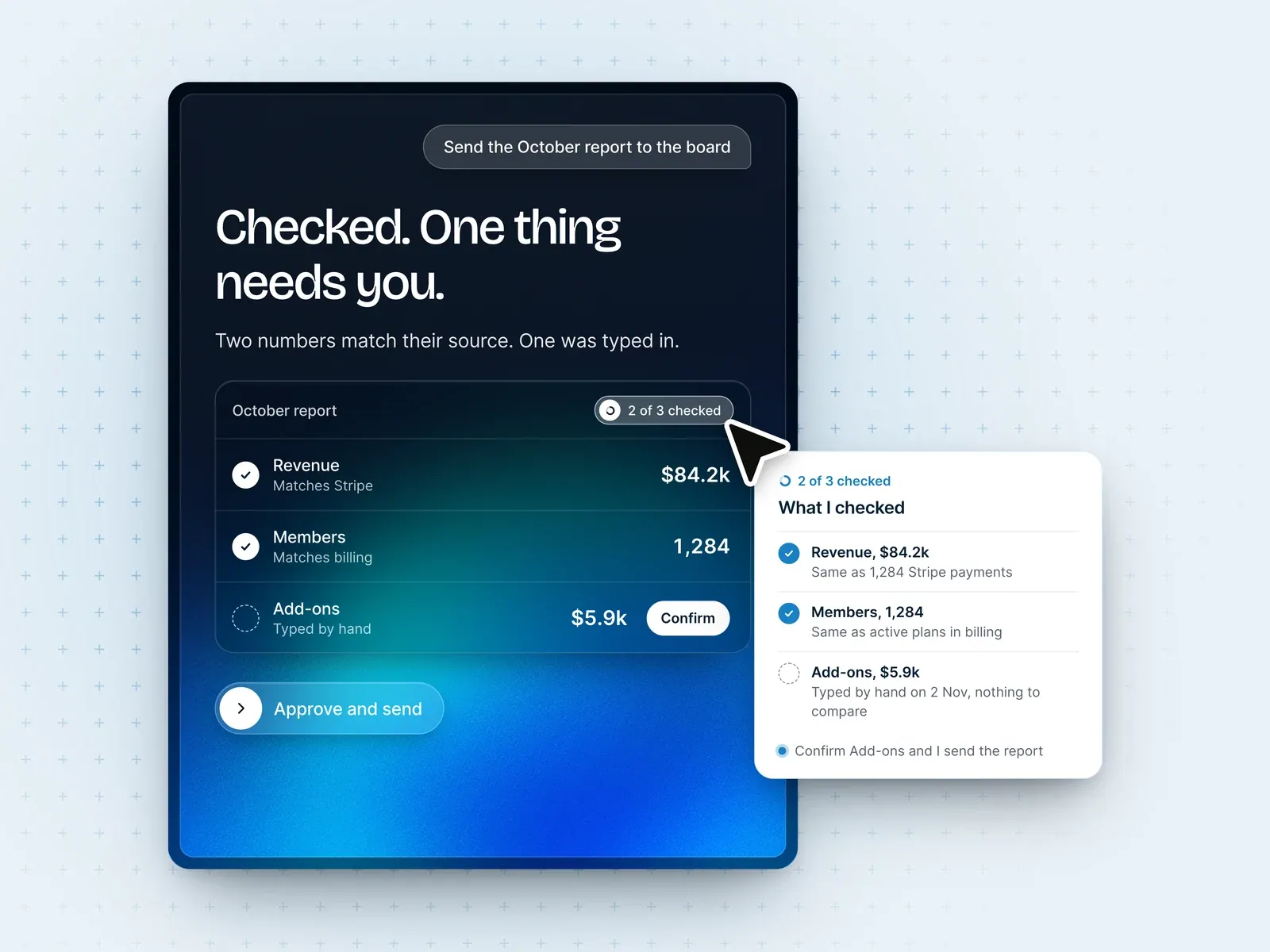
I ask the AI to send the October report to the board. Before it sends, it shows a table. Revenue matches Stripe. Members match billing. Add-ons was typed by hand on 2 November, so there is nothing to compare it with. The table header says 2 of 3 checked, and the open row has a Confirm button.
This is the human-in-the-loop part. The AI does the checks it can do and hands me the one it can’t. Microsoft’s guidance on over-reliance names both as goals: signal when to verify, and make verifying easy.
Checking has to be light. In PaperTrail, 26 researchers saw each AI claim matched to its evidence, with unsupported and missing claims flagged. Their trust in the AI went down and they kept using its edits anyway, because checking took too much work. One row and one button is work I will do.
Try it on your own product
For one day, ask your AI “are you sure?” after every answer and count how often the answer changes. That count is the checking your interface leaves to the person using it.